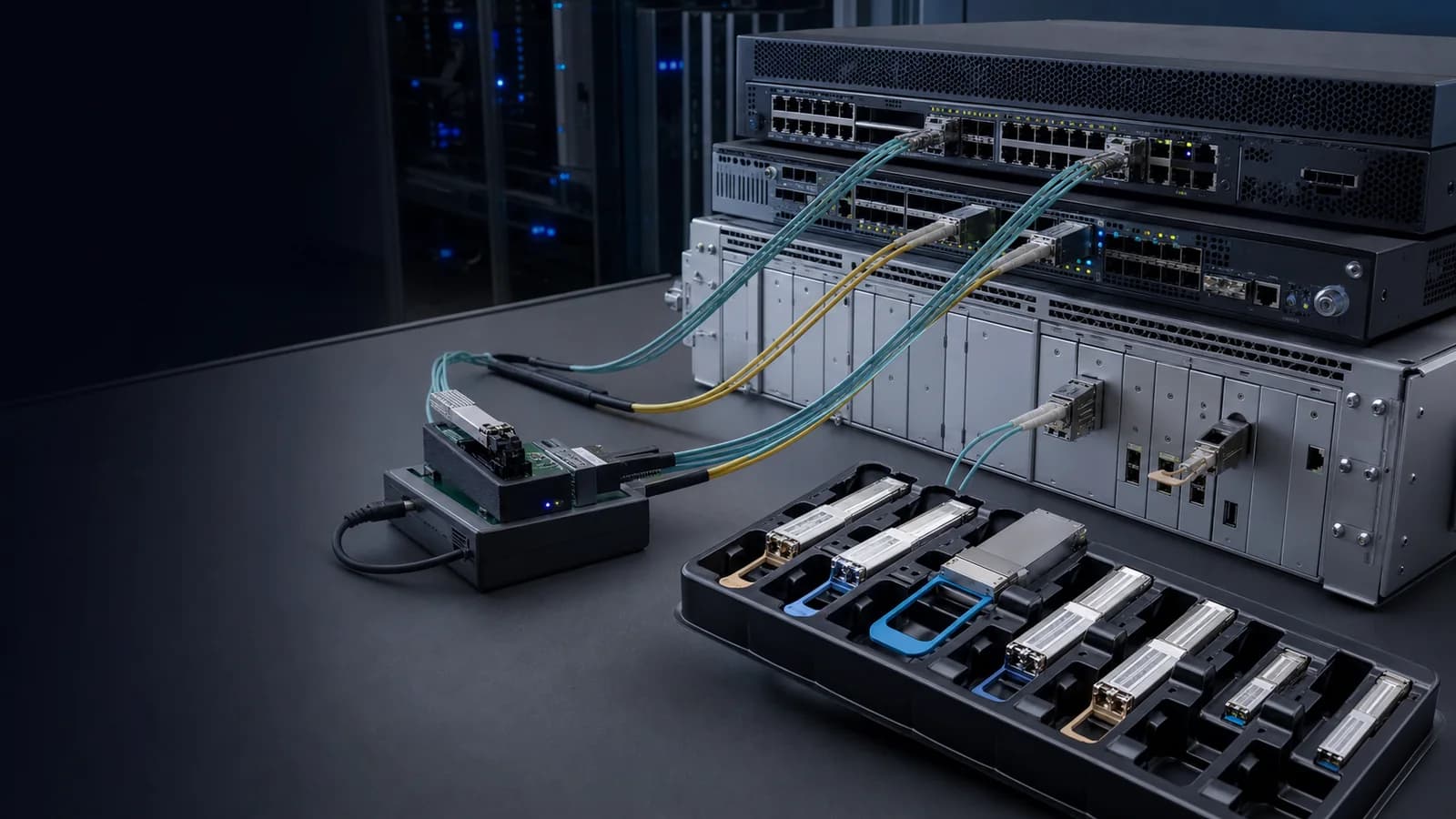
10G XENPAK

10G XENPAK ER Fiber Optic Transceiver Module 1550nm 40km Duplex SC SMF DDM | FLD-XENPAK-ER | Fiberland

10G XENPAK Duplex 1550nm 40km

Rate10GReach40kmWavelength1550InterfaceDUPLEX SC
Fiberland part number
FLD-XENPAK-ER
Unit price250.00USD / piece

Key Specifications

Select a specification to see how it affects model selection.

View complete table
Form TypeXENPAK

Check this recorded value against the target device and project requirements before quotation approval.

Technical Specifications

Filter the product record by the information needed for engineering or purchasing review.

14 specifications shown
Fiberland Part NumberFLD-XENPAK-ERVendor NameFIBERLAND
Data Rate10GWavelength1550
Reach40kmForm TypeXENPAK
Optical InterfaceDUPLEX SCDDM SupportYES
Commercial Temp.0~70℃Industrial Temp.-
Compatible BrandsCisco,Huawei,Nvidia...200+ brandsComplianceCE,FCC,ROHS,REACH
Warranty3 YearsModeSM

Product Compatibility Mapping

Cross-reference the original manufacturer part number with the corresponding Fiberland part number before confirming the target device and firmware.

Search Full Compatibility Database
Verified cross-references4 manufacturer part numbersAcross 3 brands
Showing 4 of 4 verified matches

Swipe horizontally to view every field.

Original part numberBrandFiberland part numberProduct description
XENPAK-10GB-ERCISCOFLD-XENPAK-ER10GBASE-ER XENPAK transceiver, 1550 nm, 40 km over G.652 SMF, duplex SC.
XENPAK-10GB-ER+CISCOFLD-XENPAK-ER10GBASE-ER XENPAK transceiver, 1550 nm, 40 km over G.652 SMF, duplex SC. Digital optical monitoring supported.
XENPAK-1XGE-ERJUNIPERFLD-XENPAK-ER10GBASE-ER XENPAK transceiver, 1550 nm, 40 km over 9/125 µm SMF, duplex SC PC/UPC, with monitoring support.
10112EXTREME NETWORKSFLD-XENPAK-ER10GBASE-ER XENPAK transceiver, 1550 nm, 40 km over single-mode fiber, SC connector.

A part-number cross-reference is a model-selection starting point, not a blanket device guarantee. Final fit depends on the exact device, firmware or OS, target port and requested coding profile.
See Where This Product Fits in the Network

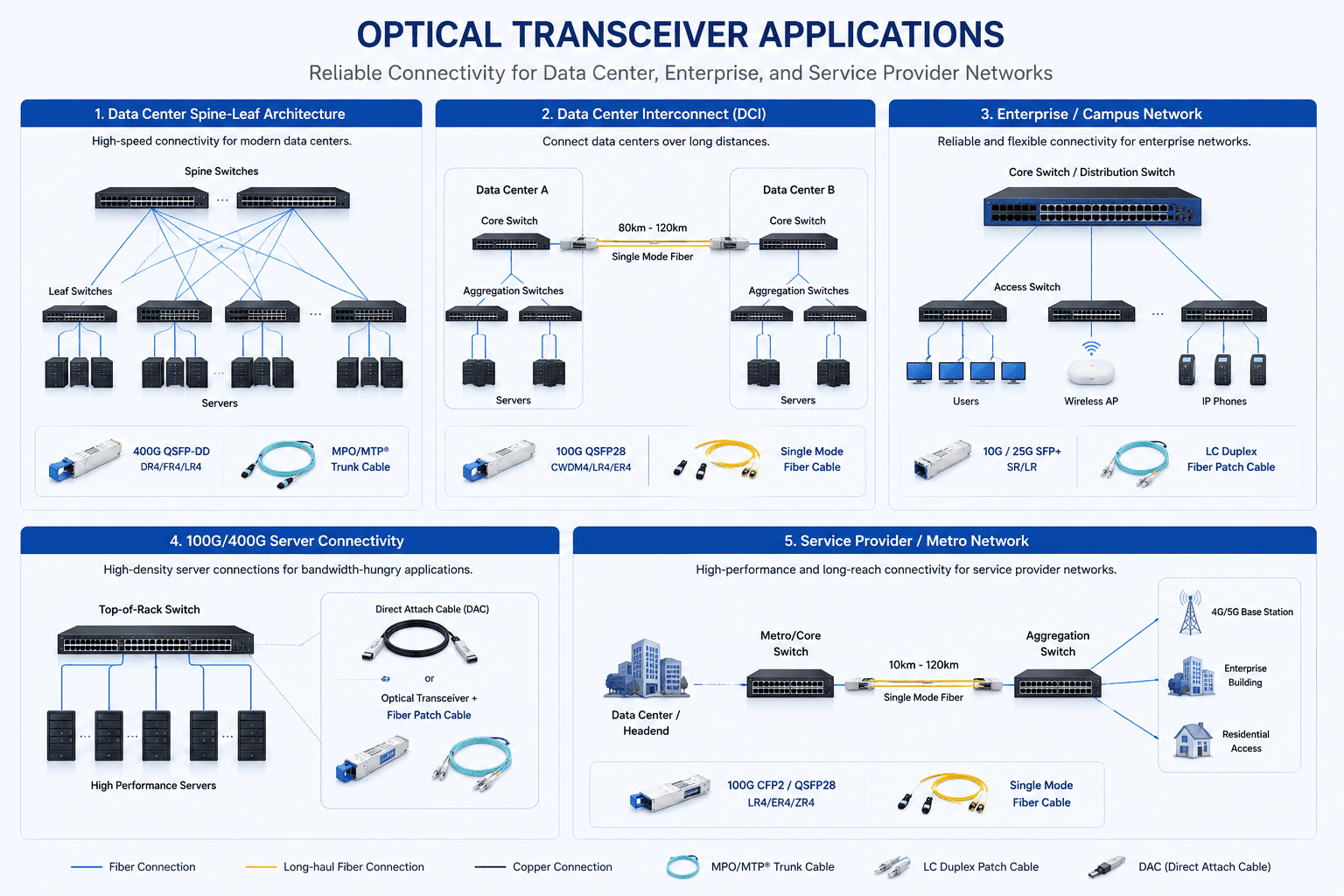
Review common data-center, DCI, campus, server and metro-network connections before confirming speed, reach, fiber type and connector.

Application planning

Optical Transceiver Application and Link Map

Compare representative network topologies and link paths to identify the appropriate product family for the intended deployment.

View full application diagram
Optical transceiver application diagram covering data center, DCI, campus, server and metro networks

Review the Quality-Control and Test Flow

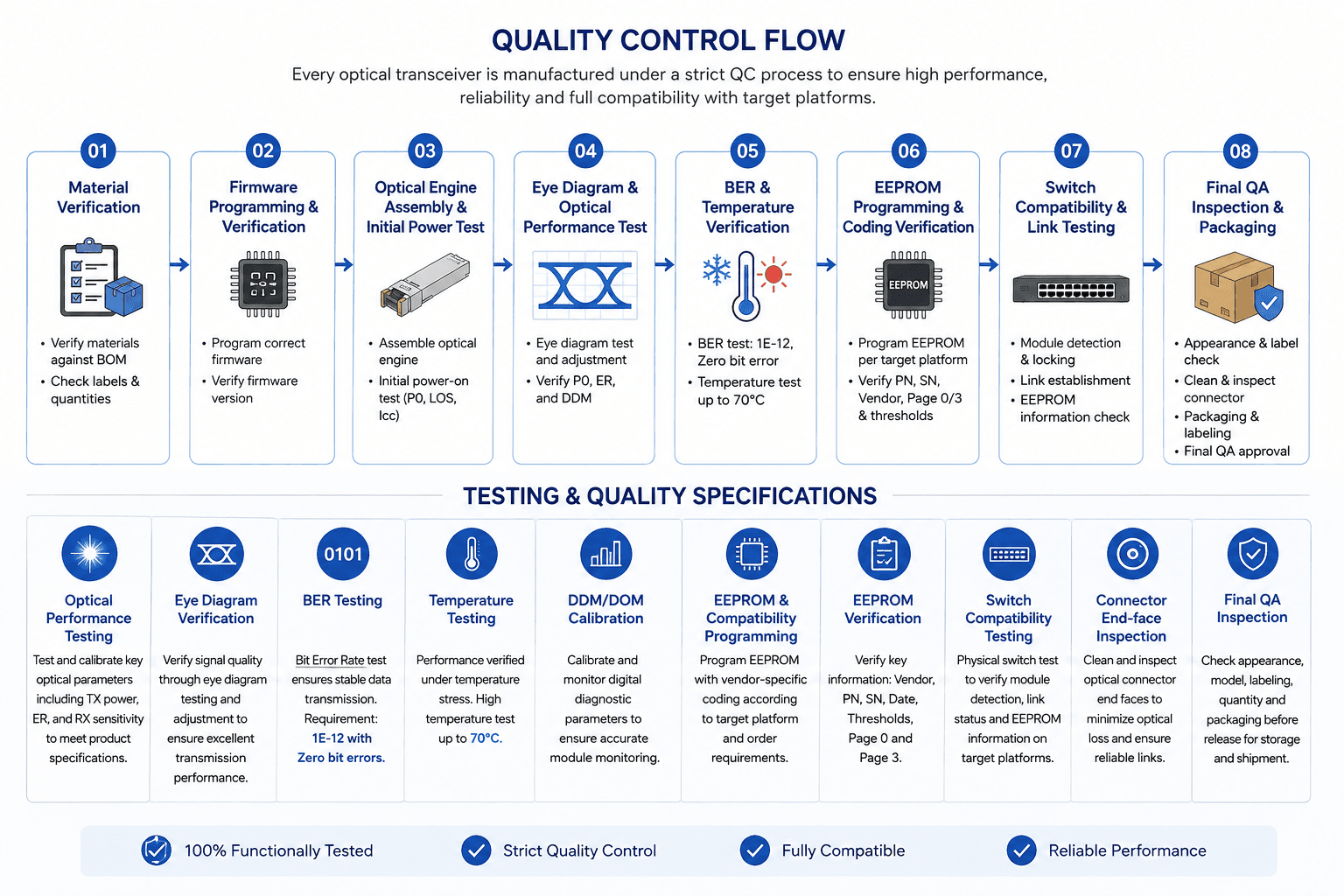
Follow the checkpoints used to verify materials, firmware, optical performance, temperature stability, compatibility and final inspection.

Testing and quality

Quality Control and Test Flow

Review the sequence from material verification and firmware programming through optical, temperature, compatibility and final QA inspection.

View full testing diagram
Quality control flow covering material, firmware, optical, temperature, compatibility and final QA checks

Frequently Asked Questions

Answers to common compatibility, installation and troubleshooting questions.

Why does the compatible transceiver work in some ports but not others on the same switch?

Ports on the same device may support different speeds, breakout modes, interface types, or configuration settings. Check the affected port's supported transceiver types, configured speed, lane mode, and other platform-specific requirements.

Do both ends of an optical link need the same OEM compatibility?

No. Each transceiver generally needs to be compatible with the equipment in which it is installed. For example, one end may be coded for one switch brand and the other end for another.

Can I use two differently branded compatible transceivers at opposite ends of the link?

Yes, provided each transceiver is compatible with its local host and both modules use matching optical standards, wavelengths, data rates, fiber types, and other required link parameters.

Can OEM and compatible transceivers be used in the same switch?

In many networks, OEM and compatible transceivers are deployed in different ports of the same device. Each module should meet the requirements of its individual interface.

Why does my compatible transceiver keep losing and restoring the link?

Intermittent links can be caused by marginal optical power, dirty connectors, unstable fiber connections, FEC mismatches, port configuration, temperature, or compatibility issues. Check both the optical link and host-side configuration.

Tell Us What Your Project Needs

Engineering resources

Technical proof for faster project review

Move from model selection to internal approval with the documents, compatibility checks and verification paths buyers use most.