
Quick Answer
If the project uses a 100G QSFP28 port, start with link distance and fiber type. Short multimode links often point to SR4, 10km duplex SMF links often point to LR4, longer single-mode paths may require ER4, 2km class DCI projects may consider CWDM4, and single-fiber projects may need a BiDi pair. Final selection still depends on the target device, datasheet and compatibility review.
How to Choose
Use these checks before comparing price. They help engineering, procurement and sales talk about the same requirement.
Confirm the port and data rate
Make sure the device port is QSFP28 and the project is actually a 100G Ethernet path. If the port is QSFP+, QSFP-DD, OSFP, CFP2, DAC or AOC, move back to the product category instead of forcing this article's logic.
Confirm reach and fiber type
Separate multimode short-reach paths from single-mode 2km, 10km, 40km class or single-fiber paths. This usually narrows the variant faster than comparing every model name.
Confirm connector and wavelength plan
SR4 commonly uses a parallel MPO/MTP path, while LR4, ER4, CWDM4 and BiDi options are typically planned around LC interfaces. Confirm exact connector, fiber and wavelength requirements from the project and datasheet.
Confirm target device and firmware
Compatible transceiver projects should include device brand, model, firmware or OS version and target port. This lets sales review coding requirements before quote confirmation.
Confirm documents for internal approval
List datasheet, compliance, testing or inspection document requirements in the RFQ so the response supports engineering and procurement review.
Compare the Options
This table is a selection starting point. Final values should come from the approved datasheet and project requirements.
| Variant | Typical reach path | Connector path | Fiber type | Common decision signal | Next step |
|---|---|---|---|---|---|
| 100G QSFP28 SR4 | 100m class | MPO / MTP | MMF | Short-reach data center links | Check MPO/MTP and MMF path |
| 100G QSFP28 LR4 | 10km | LC | SMF | Enterprise core, metro or longer campus link | Open LR4 detail and datasheet |
| 100G QSFP28 ER4 | 40km class | LC | SMF | Longer single-mode path | Confirm link budget and datasheet |
| 100G QSFP28 CWDM4 | 2km class | LC | SMF | Data center interconnect planning | Confirm wavelength plan |
| 100G QSFP28 BiDi | Project dependent | LC | SMF | Single-fiber upgrade path | Confirm paired modules |
Example: LR4 10km
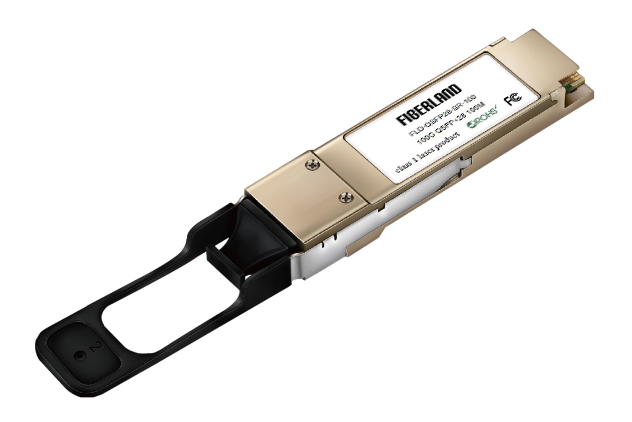
Use LR4 as the next validation path when the buyer needs a 100G QSFP28 module for a 10km class duplex SMF link with LC interface.
Compatibility Checklist
Before requesting pricing, collect the details that affect coding review, datasheet matching and quote quality.
Device information
Device brand, device model, firmware or OS version, target port and required module code.
Link information
Required reach, fiber type, connector, wavelength plan and deployment environment.
Purchase context
Quantity, destination country, required delivery target and packaging or labeling needs.
Proof documents
Datasheet, catalog, test report request, certificate path or inspection record requirement.
Common Mistakes
Only checking data rate
100G alone is not enough. Confirm form factor, link distance, connector and target device.
Choosing SR4 without the right fiber path
SR4 planning depends on a parallel multimode path and MPO/MTP connector requirements.
Using LR4 for every single-mode project
Some projects may point to CWDM4, ER4 or BiDi depending on distance and fiber availability.
Requesting compatibility without device details
Brand, model and firmware information should be submitted with the RFQ.
FAQ
What is the difference between SR4 and LR4?
SR4 is generally used for short-reach multimode paths with MPO/MTP, while LR4 is a 10km class single-mode LC path. Confirm final values by datasheet.
When should I consider CWDM4?
CWDM4 may be considered for selected 2km class single-mode data center interconnect paths, depending on the project and device requirements.
What information is needed for compatibility review?
Submit brand, device model, firmware or OS, target port, required module code and quantity.
Can I request a datasheet before ordering?
Yes. Use the datasheet center or RFQ form to request the current file version for the target model.
What should I include in an RFQ?
Product variant, quantity, country, target device, reach, connector, required documents and deployment notes.
Where can I review testing or compliance paths?
Use the Testing & Quality and Certifications & Compliance pages, then request project documents through the RFQ.